If your team is still coordinating truck arrivals over email, phone calls, and a shared spreadsheet, you're not alone. Most small and mid-size warehouses run on some version of this setup. It works — until it doesn't. A double-booking, a missed shipment, or a driver showing up without warning is usually what pushes people to look for something better.
This guide covers the main dock scheduling software options worth considering in 2026, what to look for before you buy, and which tools are a good fit for operations that don't need an enterprise system.
What Actually Matters When Choosing Dock Scheduling Software
There's no shortage of options, but for smaller operations the evaluation usually comes down to four things:
1. How fast can you get up and running and do you need help to do it? Implementation time varies significantly across tools, and it's one of the most overlooked factors. Some software is fully self-onboardable: you sign up, configure your docks, and you're scheduling the same day — no demo calls, no go-live training sessions, no implementation consultant. Others follow a more traditional SaaS sales process: a demo, a kickoff call, a go-live session, and potentially weeks before your team is actually using the system.
For a warehouse manager without a dedicated IT team, the difference matters a lot. A tool you can figure out in an afternoon is fundamentally different from one that requires scheduling onboarding calls across departments.
2. Will your warehouse staff actually use it? Software that requires training rarely gets adopted consistently. The simpler the interface, the more likely your team uses it the way it's supposed to be used.
3. Can carriers book their own appointments? This is the main reason most warehouses buy dock scheduling software. If carriers can self-serve (without calling or emailing) you eliminate a large chunk of daily interruptions.
4. What's the real cost? Per-user pricing adds up fast, especially with seasonal workers or multiple shift teams. Per-dock pricing scales unexpectedly as you grow. Flat-rate, all-inclusive pricing is the easiest to budget for. Not sure what manual scheduling is actually costing you? Our ROI calculator puts real numbers on it.
The Software
1. LoadingCalendar
Best for: Small to mid-size warehouses that want simple dock scheduling without extras
LoadingCalendar does one thing: dock appointment scheduling. No yard management, no gate automation, no truck plate recognition — by design. The focus is on replacing whiteboards, Outlook calendars, and shared Excel files with something purpose-built.
Why it works for smaller operations:
- Self-onboardable. No demo, no training session, no go-live call. Sign up, configure your docks, and you're scheduling. Most customers are up and running within minutes. There's no setup fee, no onboarding fee, and nothing that requires outside help. In-app tutorials cover everything, and the software is built to be figured out without instructions.
- Simple enough that no training is needed. The interface is built for warehouse staff, not software administrators.
- Branded booking portal for carriers. You get a unique company booking link you can put in your email signature, your website, or send directly to carriers. Carriers see your open time slots and book without calling you. Double-booking isn't possible — the system is live-updating.
- Flat pricing, no limits. One flat monthly fee covers unlimited users, docks, warehouses, carriers, and appointments. No per-seat fees, no per-dock pricing.
Key features:
- Branded Booking Portal
- Day/week calendar view and list view
- Color-coded loading statuses (New, Arrived, In Progress, Done)
- Automated email notifications
- Different user roles (Admin, Team Member, Warehouse worker, Third-Party)
- Recurring loadings
- Time-based loading duration rules by goods quantity or other criteria.
- Document and photo upload
- Statistics and Excel export
- API available for custom integrations
Pricing: €99/month flat rate. 14-day free trial, no credit card required.
What it doesn't do: No yard management, no ERP/WMS pre-built connectors (API is available for custom builds), not suited for 20+ dock enterprise operations.
2. Opendock
Best for: Mid-to-large operations in the US with high appointment volumes
Opendock is the most widely used dock scheduling platform in North America. Many carriers are already familiar with it, which can reduce friction during rollout. It covers dock scheduling plus yard management features, carrier scorecards, and integrations with TMS, WMS, ERP, and YMS systems via API.
The trade-off is cost and complexity. Starting at around $7,000/year, it's a significant investment — and the feature set reflects that. Implementation follows a structured process: expect a demo, account setup assistance, and a go-live period rather than self-service signup. If you're a smaller operation that just needs to stop playing phone tag with drivers, Opendock is more than you need.
Pricing: Starts around $7,000/year. Contact for quote.
See also: LoadingCalendar vs Opendock
Sources: opendock.com, Capterra, loadsmart.com
3. GoRamp
Best for: Companies that need dock scheduling plus yard management and transport procurement
GoRamp goes well beyond dock scheduling. It covers time slot management, yard management, queue management, and transportation procurement in a single platform. For companies managing complex inbound/outbound flows across multiple facilities, this scope can be valuable.
GoRamp states that initial configuration takes around 15 minutes and team onboarding about an hour, making it one of the faster-deploying tools in the broader category. That said, the full platform — particularly the yard and transport modules — involves a more guided rollout. For a warehouse that just needs appointments organized, it's more software than the job requires. Pricing is dock-based, which can scale quickly.
Pricing: Starts from $249/month for basic setups; scales with number of docks, features and users.
See also: LoadingCalendar vs GoRamp
Sources: goramp.com, G2, Capterra
4. DataDocks
Best for: Warehouses and distribution centers looking for a clean, modern scheduling tool
DataDocks is a straightforward dock and yard management platform. It handles online carrier booking, real-time dock visibility, load/unload time tracking, and check-in kiosks with QR codes. The interface is clean and the setup is reasonably fast, though getting the full system configured — including kiosk setup, carrier onboarding, and rules — typically involves support from their team rather than pure self-service.
Pricing is custom and quote-based. It positions itself toward mid-size and larger warehouses and includes yard management alongside scheduling.
Pricing: Quote-based; typically starts around $500/month for small setups.
See also: LoadingCalendar vs DataDocks
Sources: datadocks.com, Capterra, GetApp
5. C3 Reservations
Best for: Distribution centers that need flexible, rules-based appointment scheduling
C3 Reservations is a web-based appointment scheduling tool built specifically for distribution center dock operations. It supports carrier self-booking, rule-based time slot durations, document upload, and automated scheduling. It's more configurable than simpler tools, which suits operations with specific scheduling rules per dock or carrier type.
The flip side is that more configurability means more setup time. Implementation typically involves working with their team to configure your setup before going live — not a self-service tool you figure out the same afternoon.
Pricing: Quote-based.
Sources: c3solutions.com, Software Advice
6. Conduit
Best for: Small to mid-size shippers handling lower volumes who need compliance and chargeback management
Conduit connects dock scheduling with order management, driver check-in, compliance workflows, and chargeback management. If you're a supplier to large retailers with strict compliance requirements, the combined workflow is useful. For a straightforward manufacturing or distribution operation, it's more moving parts than necessary.
Implementation involves a guided process — expect demo calls, configuration, and a supported go-live rather than signing up and starting the same day. Conduit's smaller scale means customers typically work directly with their team throughout setup.
Pricing: Quote-based.
Sources: conduit.io, Capterra, loadsmart.com
Quick Comparison
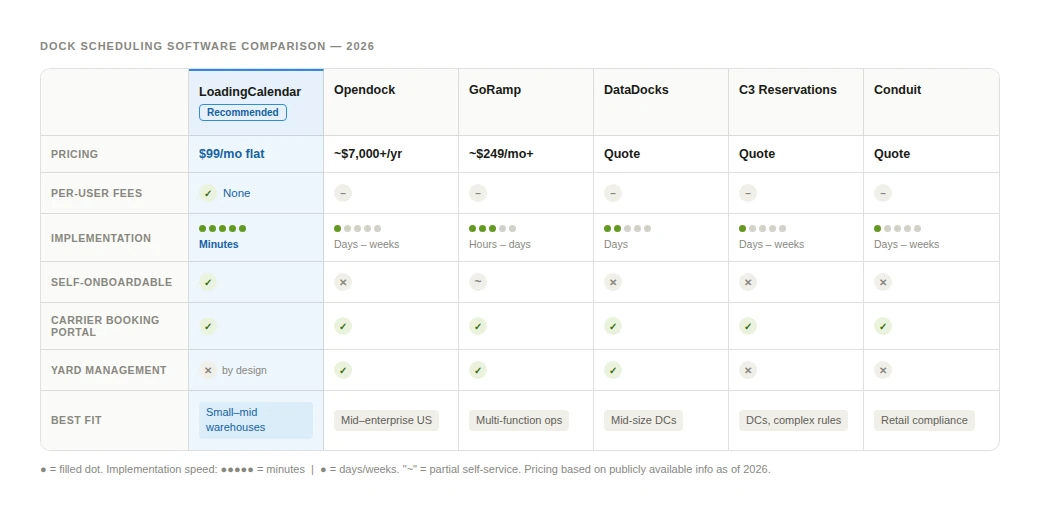
| Software | Pricing | Implementation | Carrier Self-Booking | Yard Management | Best Fit |
|---|---|---|---|---|---|
| LoadingCalendar | €99/mo flat | Self-service, minutes | Small–mid warehouses | ||
| Opendock | ~$7,000+/yr | Guided, days–weeks | Mid–enterprise, US | ||
| GoRamp | starting from $249/mo+ | Semi-guided, hours–days | Multi-function operations | ||
| DataDocks | Quote | Assisted, days | Mid-size DCs | ||
| C3 Reservations | Quote | Guided, days–weeks | DCs with complex rules | ||
| Conduit | Quote | Guided, days–weeks | Retail compliance |
How to Choose
If you run 1–3 warehouses with fewer than 10 docks per warehouse and your main problem is carriers calling to ask what times are open, or your team is "fighting" over the shared spreadsheet — LoadingCalendar covers what you need at a predictable cost with minimal setup. Not sure if your operation is at the point where it makes sense? This quick self-assessment helps you decide.
If you're managing high volumes across many locations and need yard management, carrier scorecards, and deep integrations with your TMS or WMS — Opendock or GoRamp are the more complete options.
If you're not sure, most of these tools offer trials or demos. LoadingCalendar has a 14-day free trial with no credit card required, which makes it a low-risk starting point. If you want to see how another manufacturer made the switch, the Cleveron customer story is a good read. Or if you're ready to get set up, the step-by-step setup guide walks you through the whole process.
LoadingCalendar is a product of Cargoson TMS. For more information or to start a free trial, visit loadingcalendar.com.
You might also like

OTIF (On Time In Full) is the share of orders delivered complete and within the agreed window. Formula, worked example, benchmarks and how to measure it.
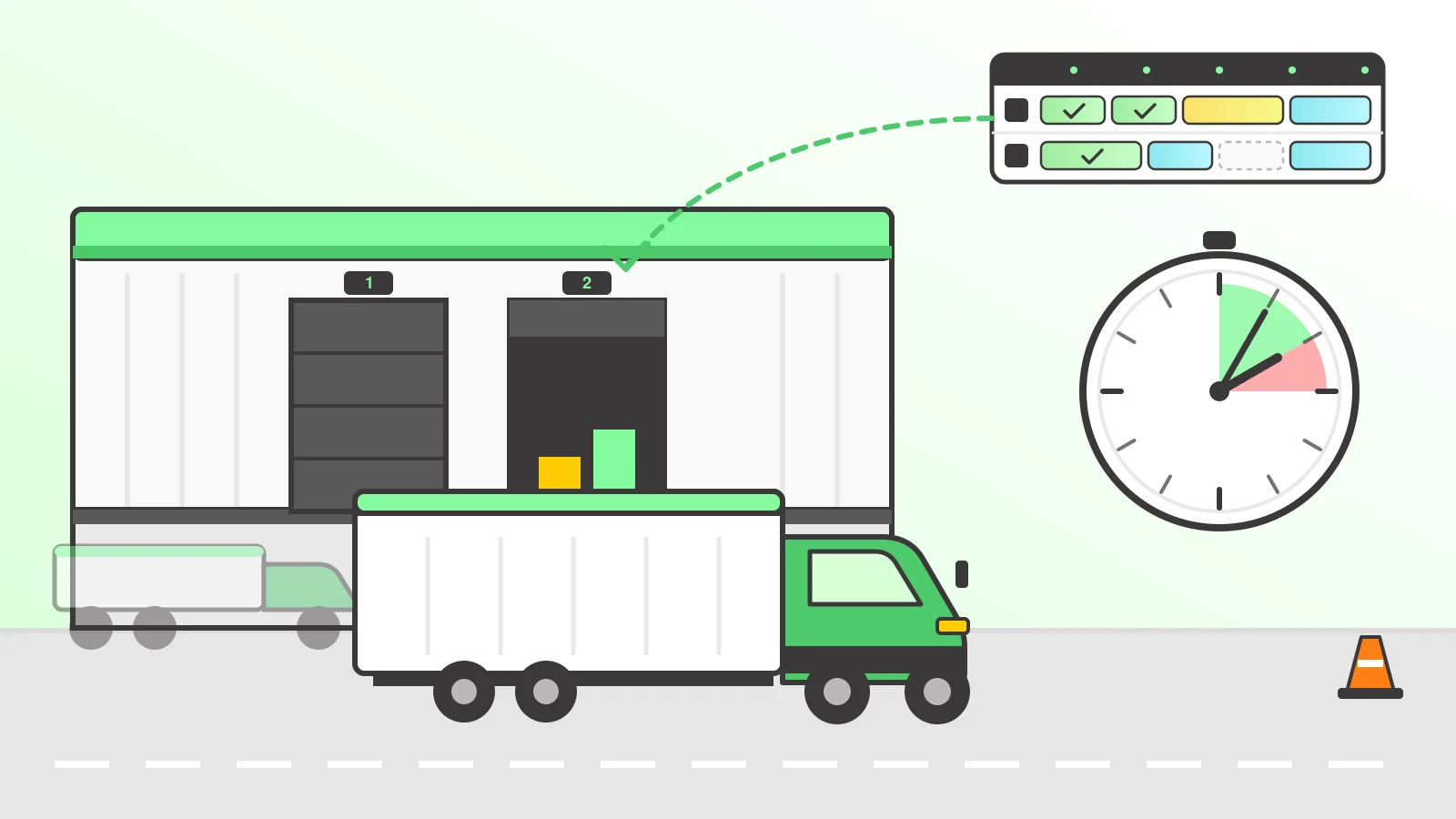
How to reduce detention fees: put every truck on an appointment, match slot lengths to real loading times, and log arrival, dock-in and departure automatically.
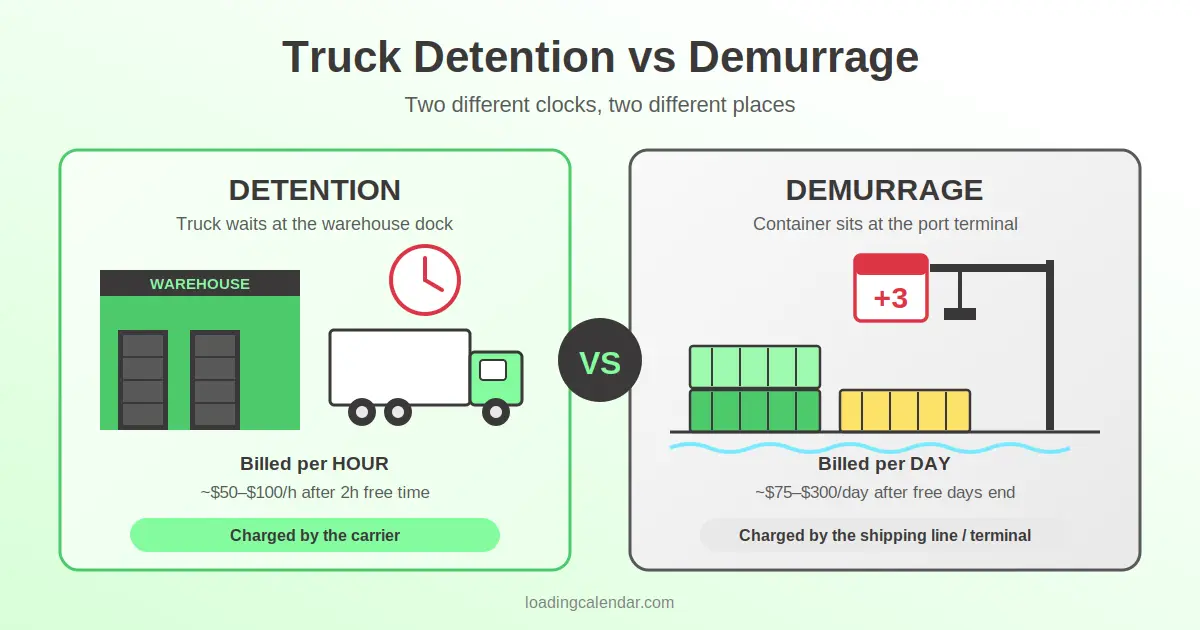
Truck detention is the fee carriers charge when drivers wait past free time — typically $50–$100/hour after 2 hours. Demurrage is a daily port charge. Here's the difference, who pays, and how to avoid both.
Ready for simpler warehouse scheduling?
Join warehouse teams across the world that replaced spreadsheets and phone calls with simple dock appointment scheduling software.
Start My Free Trial 14-day free trial · No credit card required · Cancel anytime